
One of the most powerful attributes of the LiveJudge system is its ability to store a library of reusable competition classes and let you pick and choose which classes to have in each event you host. The Assign Classes & Judges area is where you choose the classes to include in your event and then set various attributes like the maximum entries in the class (if this is an entry-based event), total rounds, score accumulation, and guaranteed rounds. For a detailed look at judge assignment, go here.
Click the ASSIGN CLASSES & JUDGES menu item to begin:
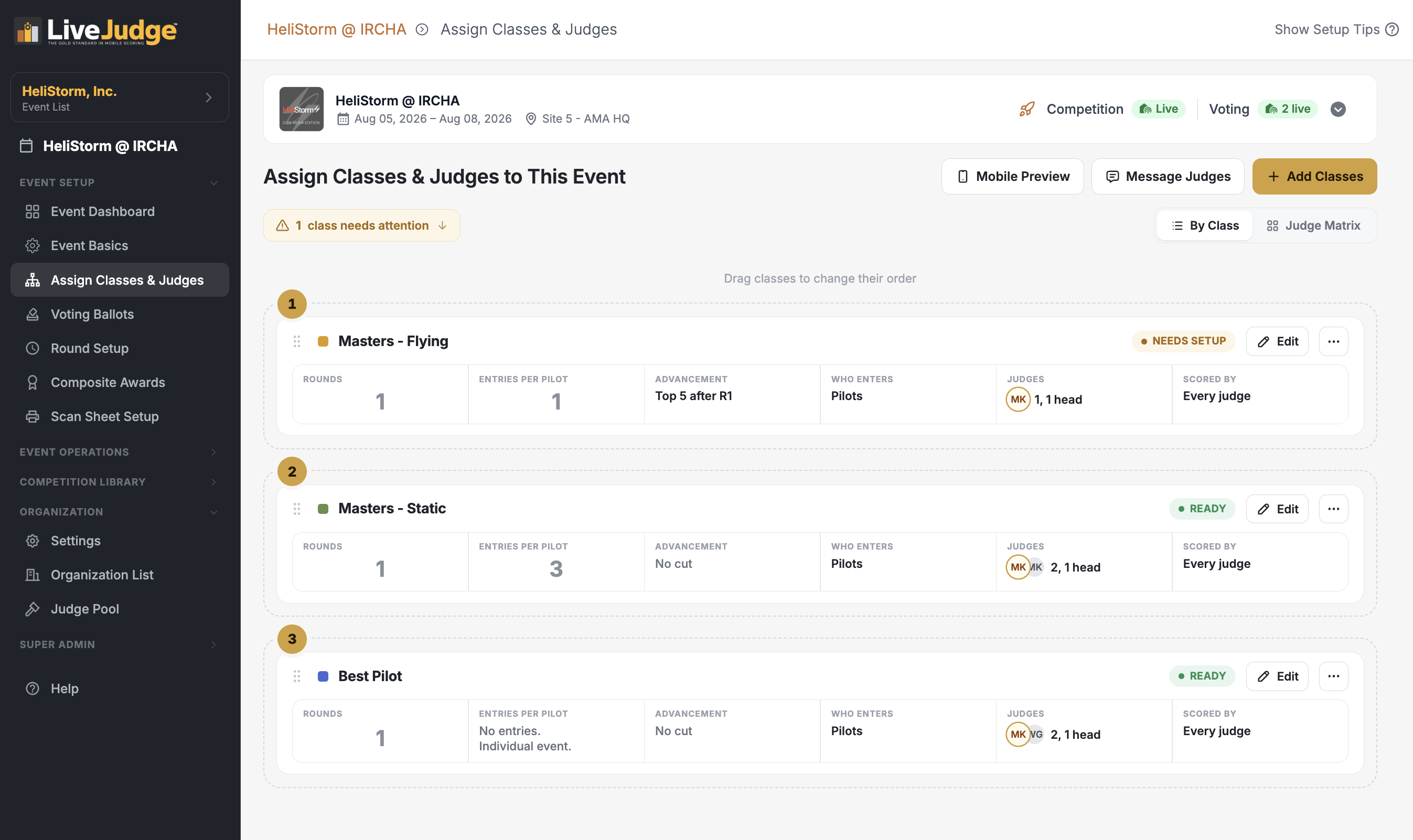
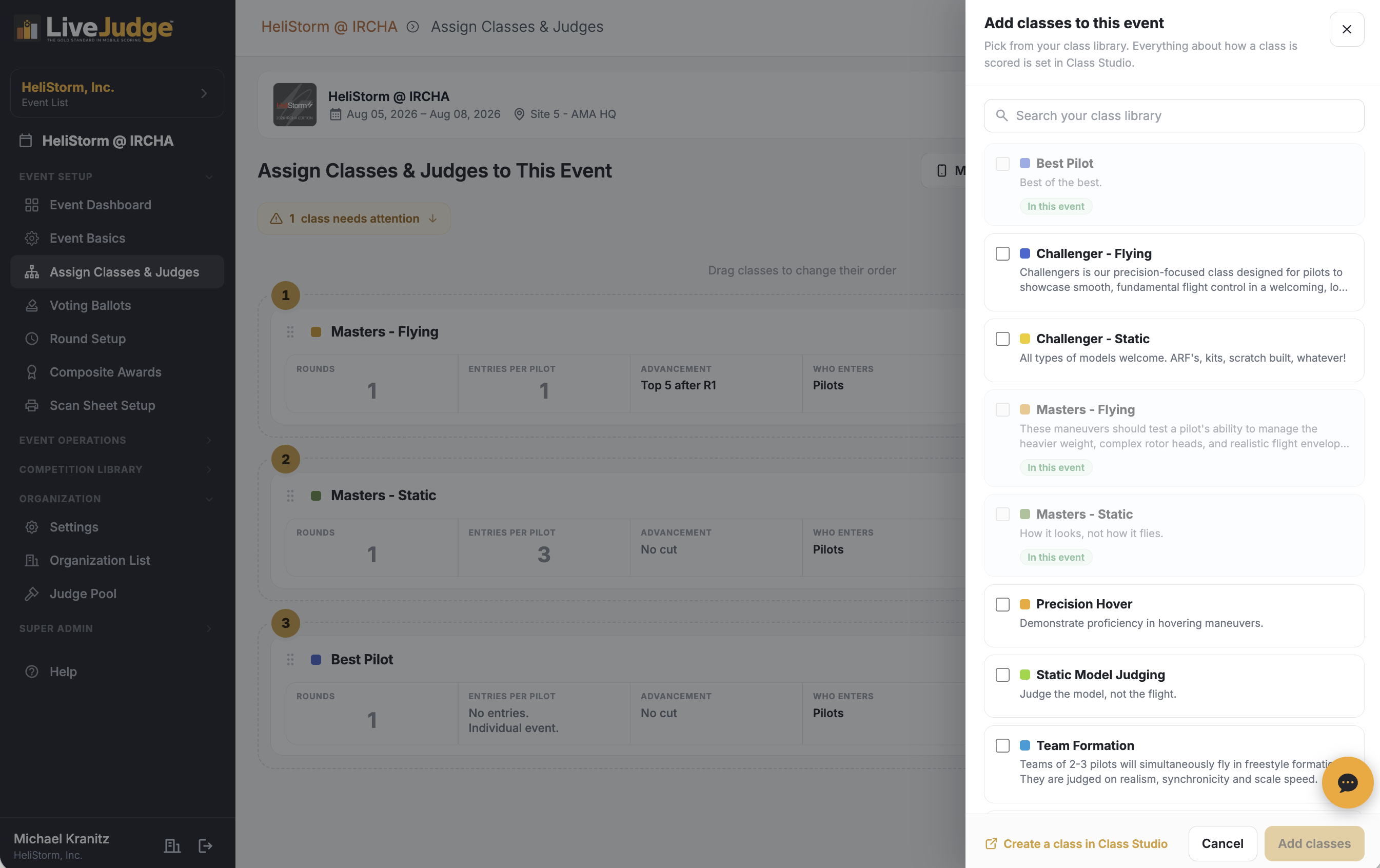
To add or remove classes just click the colored "Add Classes" button atop the screen.
After you have added a class, clicking on the "Edit" button for that calas will reveal options you can set which are specific to the event you are working on. You can create multiple rounds, specify how scores are handled and how many guaranteed rounds you are offering.
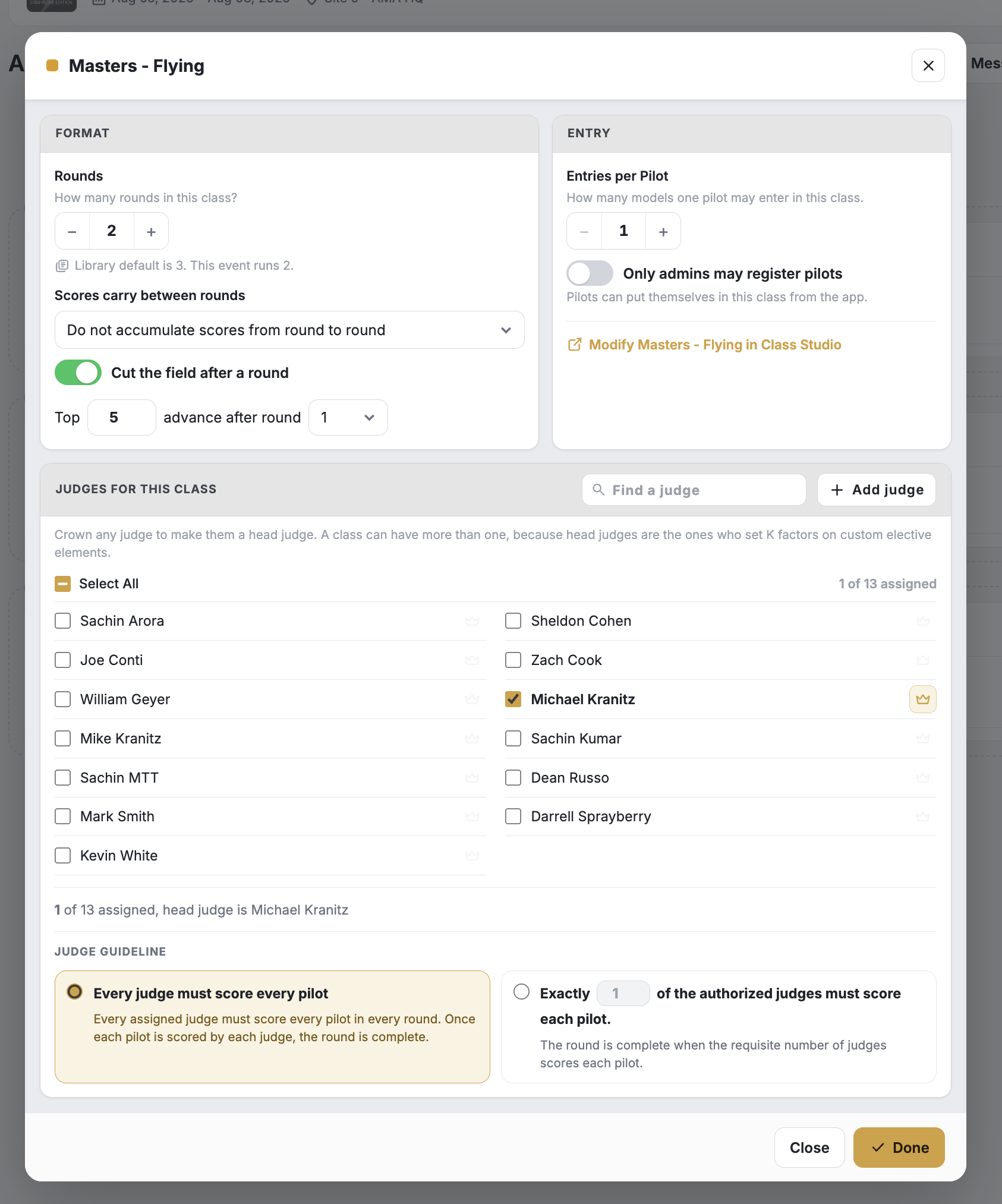
For each class, you can set round, entry, registration and other rules or just leave the default rules in place from the class definition you created in the class library.
NOTE: For classes with multiple rounds, the system will ask you to choose whether scores over multiple rounds are averaged, summed or disregarded (except for the final round).