
The Underlying Concepts
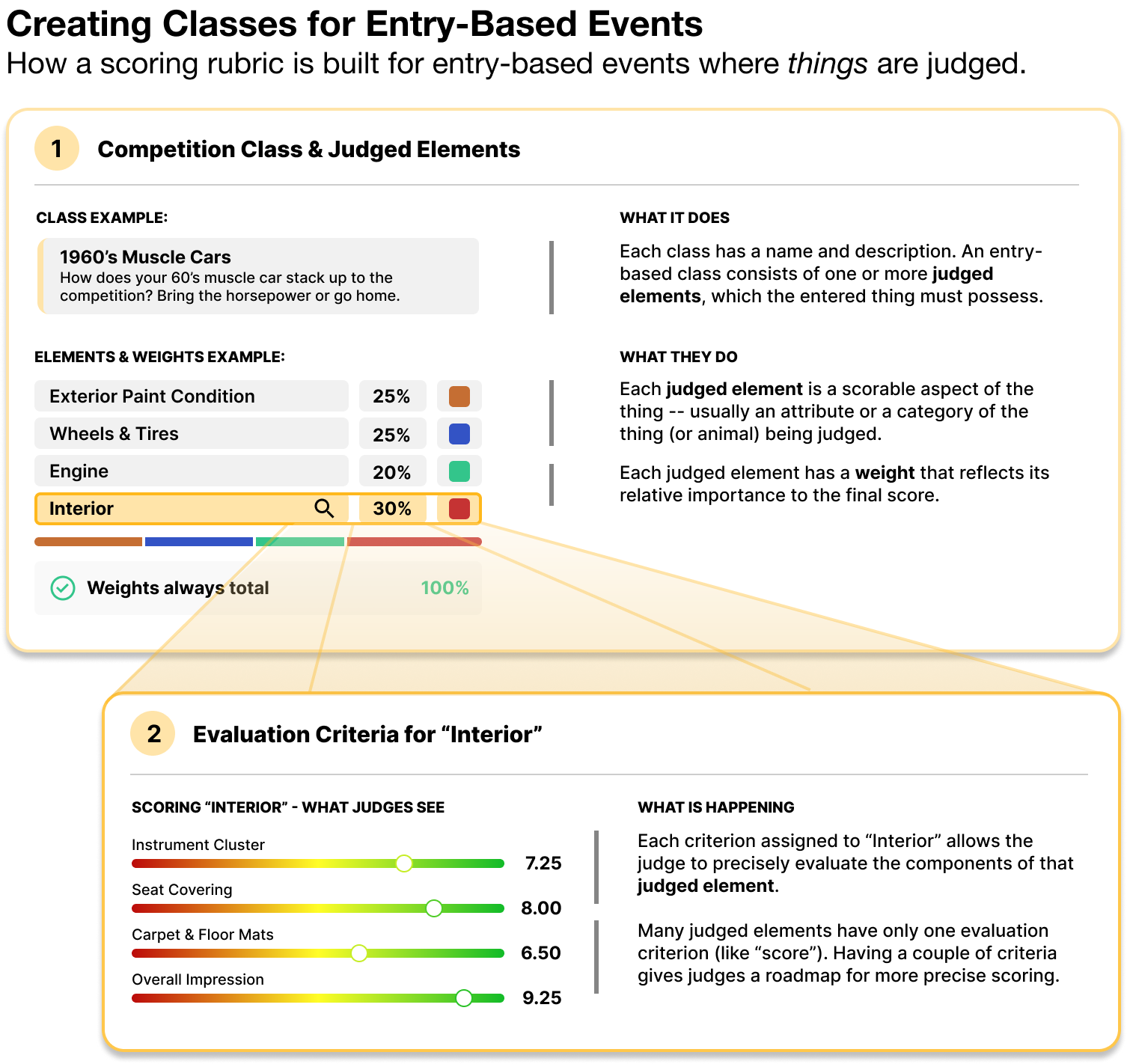
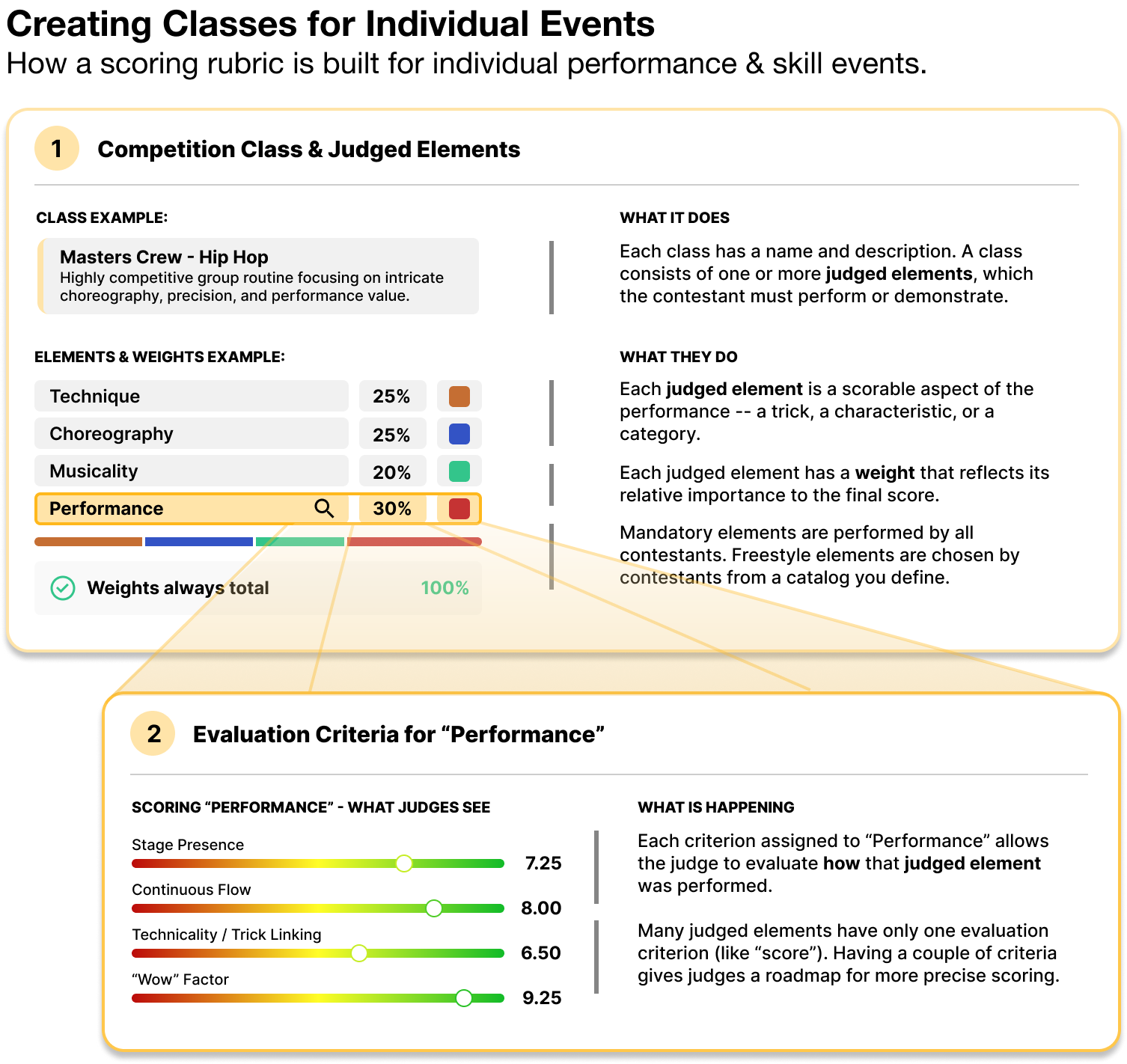
The Details Behind the Concept
Automatic Evaluation Criterion: "Score"
When you add a judged element to a class, the system will automatically assign a default evaluation criterion called "Score." You are free to change, add or remove evaluation criteria from an assigned element, but you must have at least ONE evaluation criterion. The criterion will be represented on the judges' screens by a slider.
Identical Ranges Per Class
EVERY judged element in a class WILL have the same range. The system will enforce that rule because the mathematical requirements of Z-Score and other normalization algorithms demand identical ranges in order to produce accurate results. The default class will have a range of 1-10 and an increment of .5. For most events, this is just fine. If your judges are accustomed to scoring on, say, a 1-100 scale, you can easily create a new range for that class with the 1-100 scale and an increment of 5. The results will be identical except that final scores might be more understandable to those who are used to seeing scores in the range of 1-100.
Why Using The Same Point Scale for Different Elements Works Best
In many competitions, judges have a score sheet that instructs them to award, say, "up to 15 points" for one element and "up to 5 points" for another. This methodology evolved because when judging on paper, it's considerably more difficult to assign percent weighting to each element. The problem with this approach lies with the human mind. We intuitively understand a rating scale of 1-10. It's more difficult to conceptualize a 1-15 scale or a 1-5 scale, especially when those scales are interspersed among multiple judged elements. In the LiveJudge system, we allow you to assign a SINGLE scale (say, 1-100) that will apply to EVERY evaluation criterion slider in any judged element. This makes it far easier for a judge to assign scores. The software will apply your relative weighting percentages to account for the importance of each element relative to the others.
Multiple Evaluation criteria
Some judged elements are better suited with multiple evaluation criteria. For example, if I am judging a model helicopter contest and one element is "Takeoff and Hover," I may want to evaluate the contestant's performance based on a few criteria, like "Scale Realism," "Precision Rotation" and "Scale Speed." The presence of a slider for each of those evaluation criteria helps the judge more precisely evaluate the Takeoff and Hover maneuver than would a single slider labeled "Score" or "Execution."
Weighting
When you assign multiple judged elements to a class, you'll see percent weights adjacent to each element. These weights are critical to assigning relative importance among elements.
The Math Behind it All
Mathematically, here is what happens with a sample cooking event using 3 elements and different criteria within each element:
element 1: Appetizer - 25%
element 2: Entree - 50%
element 3: Dessert - 25%
Let's say you assign the following evaluation criteria:
Appetizer: Execution (1-10), Appearance (1-10) & Taste (1-10) [30pts possible]
Entree: Execution (1-10), Presentation (1-10), Texture (1-10) & Taste (1-10) [40pts possible]
Dessert: Execution (1-10), Appearance (1-10), Wow element (1-10), Originality (1-10) & Taste (1-10) [50pts possible]
At first glance, you might wonder how the system will maintain the proper weighting (relative importance) of the three elements given that dessert has a possible 50 points while it's equivalent element, Appetizer, has only 30 possible points.
Think of the point scales as ways to guide the judges through a precise analysis vs a way to accumulate competition points. Let's say a judge awards the following to a contestant:
Appetizer: 27 of 30 possible points
Entree: 32 of 40 possible points
Dessert: 25 of 50 possible points
We convert those awards to a ratio which reflects what percent of the possible points the contestant earned:
Appetizer: 27 of 30 possible points = 90%
Entree: 32 of 40 possible points = 80%
Dessert: 25 of 50 possible points = 50%
Next, we apply the ratio to the weighting:
Appetizer: 90% of 25 = 22.5pts
Entree: 80% of 50 = 45pts
Dessert: 50% of 25 = 12.5pts
Now, total those points:
22.5 + 45 + 12.5 = 80 points of the 100 possible (from your weighting distribution). Now, if you remove all but one evaluation criterion (keep Execution, for example), the results will be IDENTICAL.
Calculating raw scores using an achievement ratio allows your judging to be extremely precise while giving judges a live roadmap through each element. If the judge has to move 5 sliders for a single judged element, they will think about each criteria carefully. More importantly, your contestants will understand, at a granular level, why they received the total score they got.
From here, the software will allow you to scale the 80 to, say, a range using an absolute scale multiplier (like 10x) or a distribution type scale (like a curve on a test grade that goes from 1-1000, for example). If we scaled by 10, this contestant would have an 800 for their final score from this judge. This example does not account for penalties, bonuses or difficulty multipliers.