
To get the most out of the LiveJudge platform, understand that we give you full control over how to design your competition classes, voting ballots and composite awards. Sure, we have templates that come installed with your event, but understanding how the class structure works will unlock power you will appreciate.
Building Blocks
A class begins with judged elements. What are your contestants being judged on? In a business pitch competition, it may be idea, financial feasibility, market opportunity, etc. At a dance competition, it might be choreography, footwork, poise, etc.
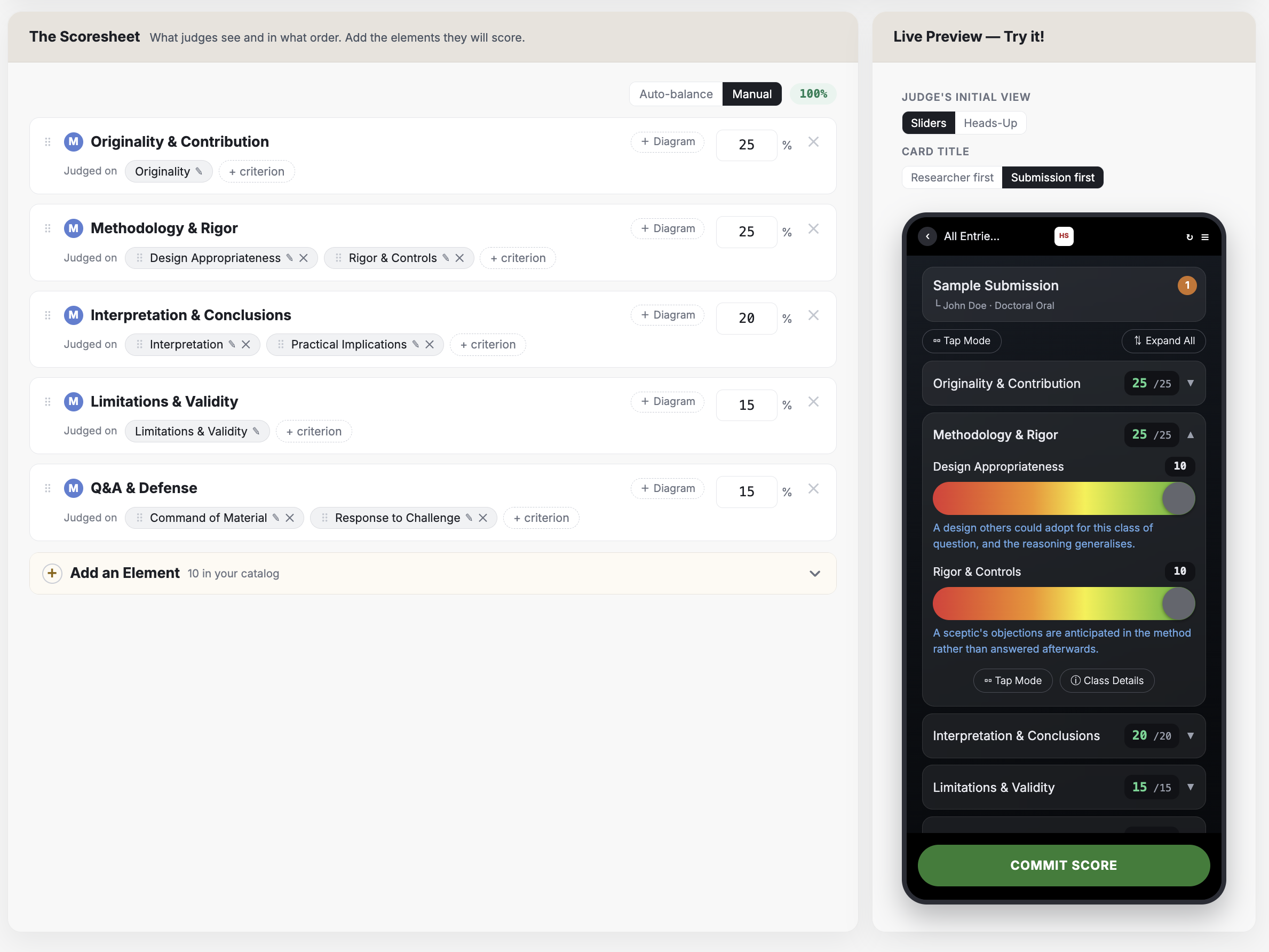
You'll notice that most of the judged elements have ways to evaluate how well the contestant satisfied each element. So, for each element, you can assign one or more evaluation criteria. A criterion can be as simple as "Score" -- the judge looks at the element, drags the slider to a "score" number and moves on. Or, as in this case under "Methodology & Rigor" you can have more than one evaluation criteria.
The final piece of the puzzle here is the judging guideline feature. You'll notice in the mobile screen above that there are blue descriptions beneath each evaluation criteria. As the judge slides the score, the guidelines change to help the judge understand --in words-- whether their score lines up with the contestant's execution. There are 6 guideline bands (e.g. 1-3, 3.1-5, etc.).
There are many other attributes in the Class Studio, but understanding the structure, above, will give you a solid foundation to create your own classes with a high level of precision built right into the rubric.