
LiveJudge will map to your paper rubric. We can help you or you can do it!
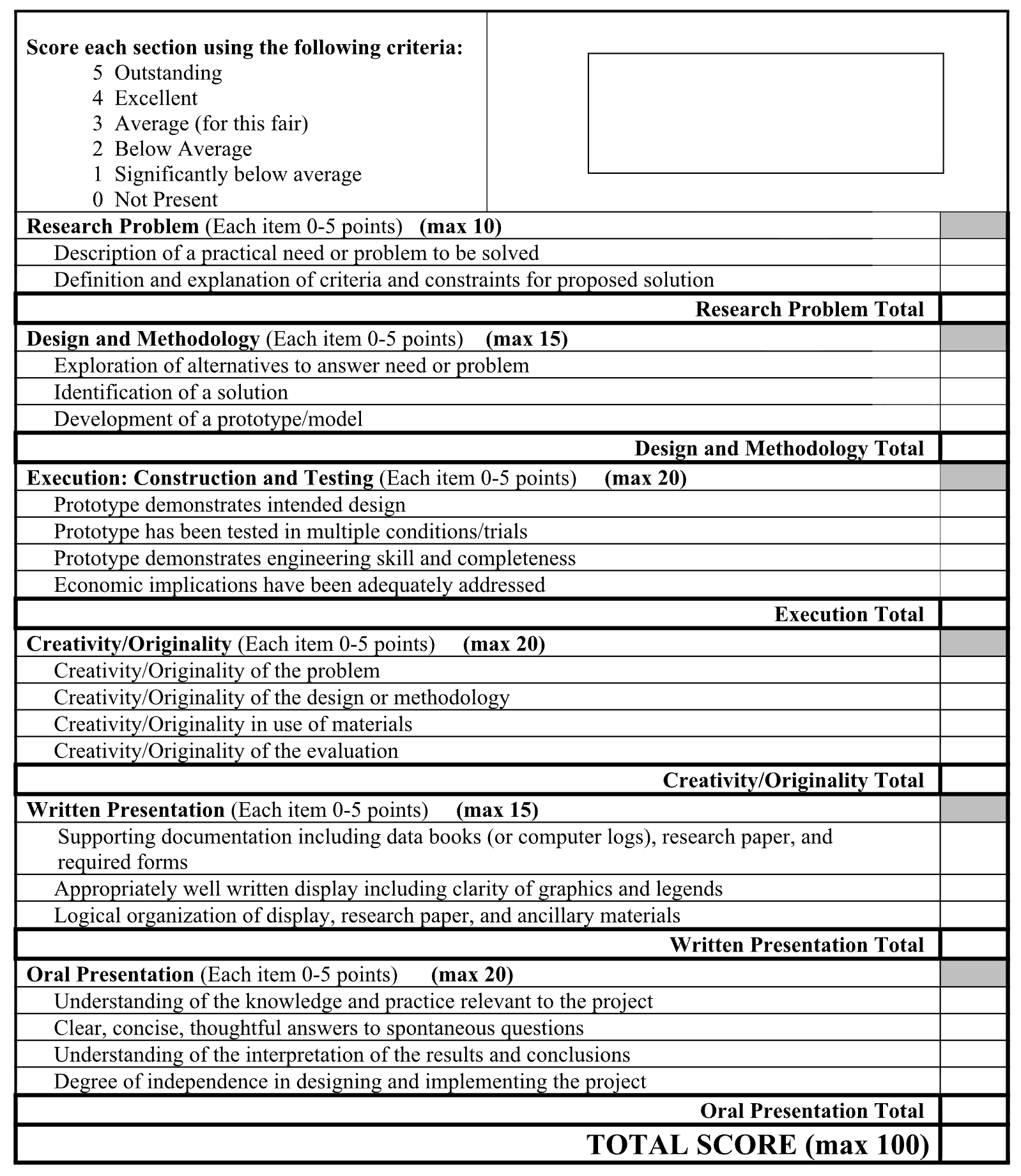
To understand how to convert your rubric, let's take this sample from a science fair. Notice that each judged element (in bold type) has different judging criteria, each of which can total up to 5 points. The problem with this rubric is that it lacks precision. Judges are hamstrung by a scale that only allows increments of 20%. Imagine trying to award a student 90% on each of the Design and Methodology criteria. The judge would have to figure out 90% of 15 and then allocate the result to the three categories. First, that's just backwards. Second, what happens when the student wants feedback? The scores don't accurately reflect the judge's findings.
How LiveJudge Fixes the Issue and Keeps the Structure of Your Rubric
In LiveJudge, for the class that is using this rubric, set the sliders to 1-10 with an increment of .1, .25, .5 or 1. At a .1 increment, your scale is really 1-100. Judges intuitively know how to evaluate on a 1-10 scale. Do that in the class setup area (see screen below).

You can set up your judged elements on the fly as you build your class in the Class Studio. If you need to bulk manage your elements, access the Scoring Library in the "COMPETITION LIBRARIES" area.
Let's use "Design & Methodology" as an example. Notice the criteria (second image) that I have assigned to this element. They are the same ones used in the paper sheet. So how will the sliders (which go from 1-10) work if the judge can only award a maximum of 5 points for each criterion? The answer lies in the screen above.


Notice that for each element, there is a weight assigned. In the paper rubric, the student can get a maximum of 15 points from Design & Methodology. So, we will assign that element 15% in our class setup. As for the sliders, our system knows that there is a maximum of 30 points (vs 15 on paper). So, if the student gets an 7.5, 9.0 and 8.5, our system will sum them (25) and compute the ratio of 25 over a possible 30 maximum, which equals 25/30 or 83.33%. 83.33% of 15 (the raw weighting) = 12.5! That fits exactly into what the paper rubric would come up with (except that it's actually more precise because of the decimal). More importantly, judges can intuitively assign a precise grade to each criterion, giving both students and faculty confidence in the precision and fairness of the scores.