
Round setup is pretty intuitive. Use the Auto Schedule button to have the system setup initial dates and times for each of your classes. You can always add individual rows. The rounds you create here will display for spectators, contestants and judges in the mobile app.
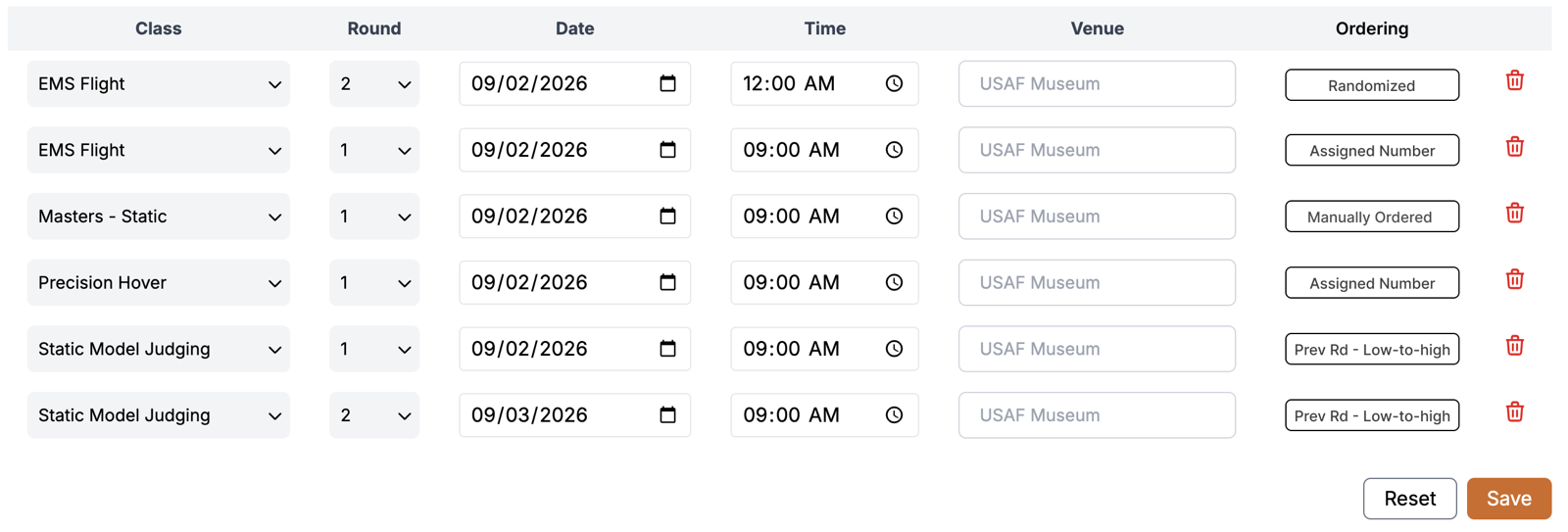
Round Ordering
In the last column of the round table, you'll see an ordering indicator. Clicking on that will allow you to change how the round will be ordered from the judges' perspective. You can randomize, order by previous round scores, manually order or order by assigned contestant number.