
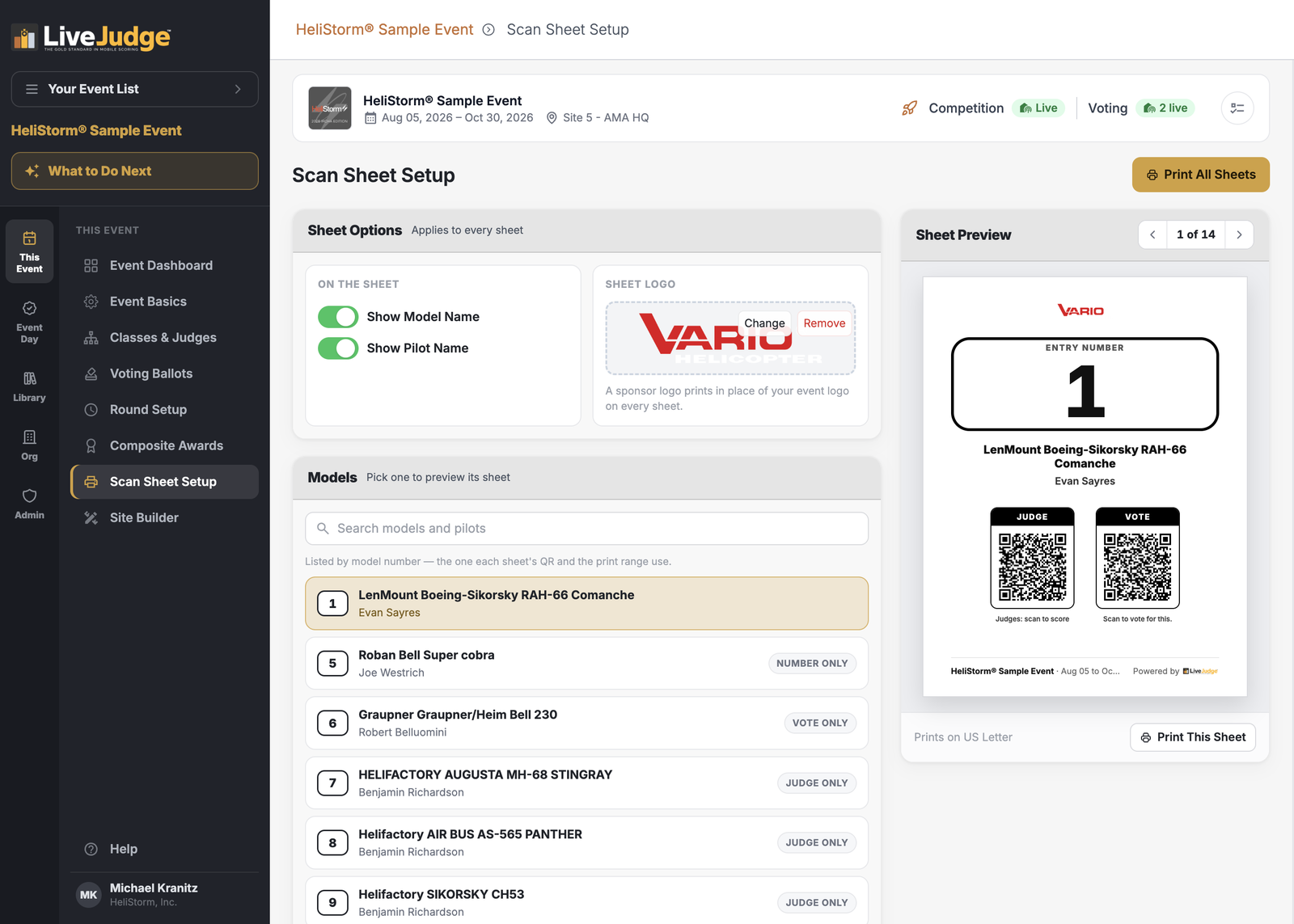
A scan sheet is a printed card for one entry. It carries the entry number in large type, the entry's name, and up to two QR codes: one a judge scans to open the scoring screen for that entry, and one a spectator scans to vote for it. Print the set, set one card beside each entry on the table or the flight line, and nobody has to hunt for the right name on their phone.
Which Events Have Them
Scan Sheet Setup appears in the THIS EVENT menu only for entry-based events — the ones where a contestant enters a thing or an animal to be judged: a model, a car, a dish, a dog, a science project. In an individual-based event the contestant is the thing being judged, so there is nothing to label and no scan sheets. An event that only runs voting does not get them either.
What Prints on a Sheet
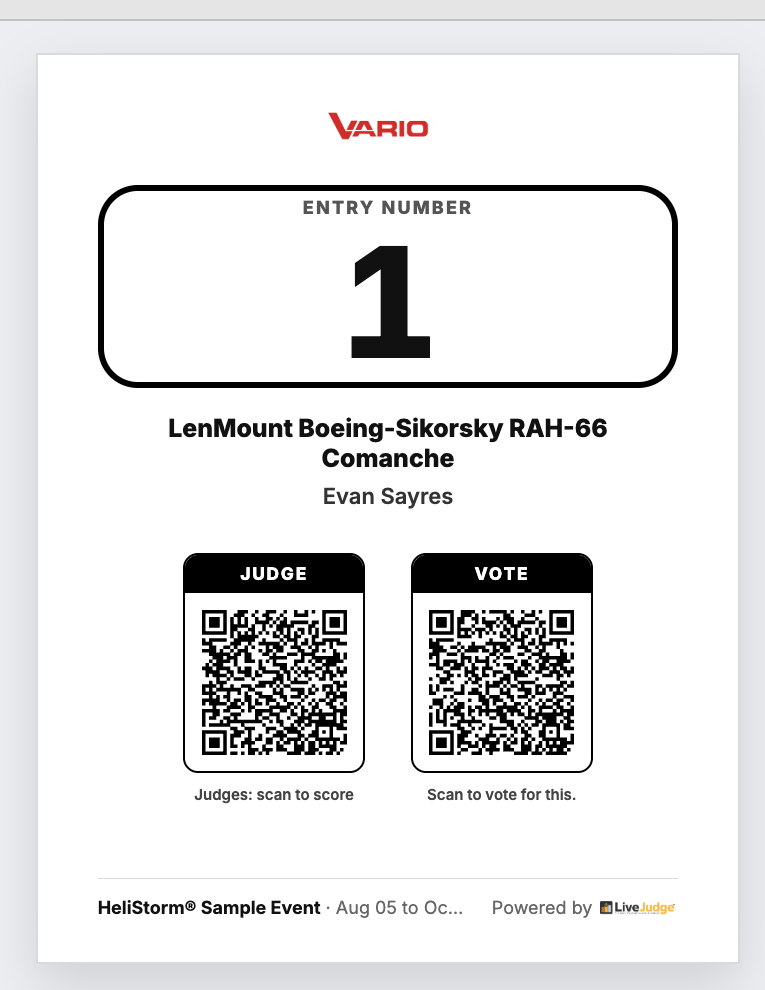
Sheets With One Code, or None
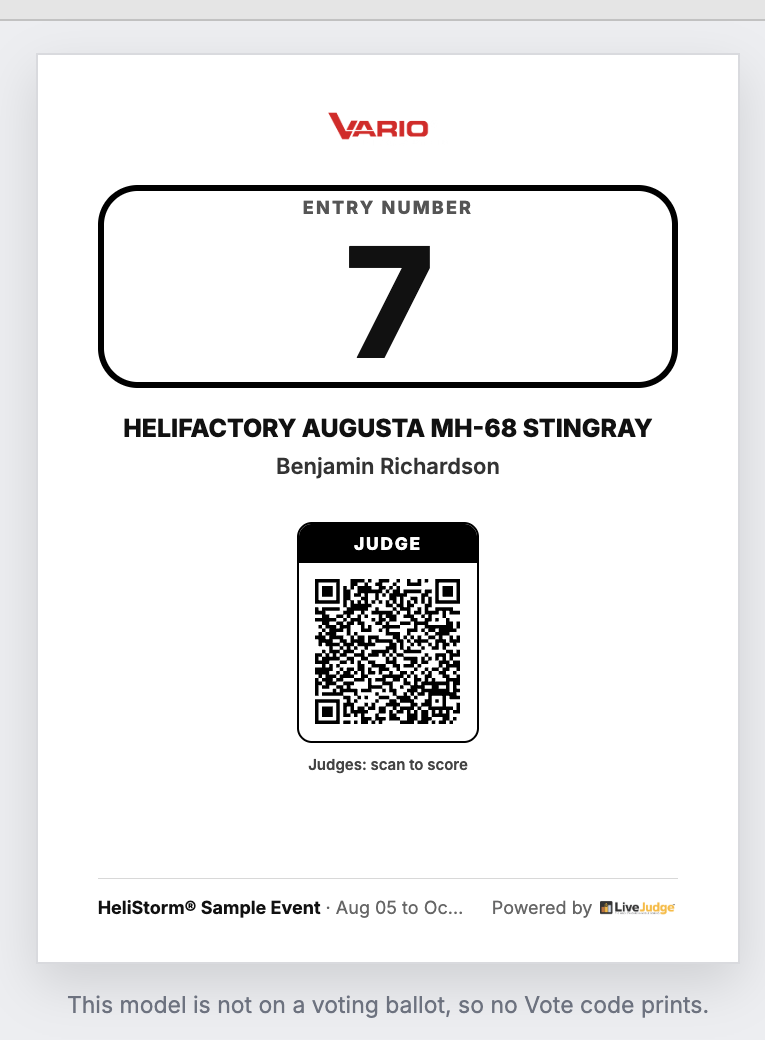
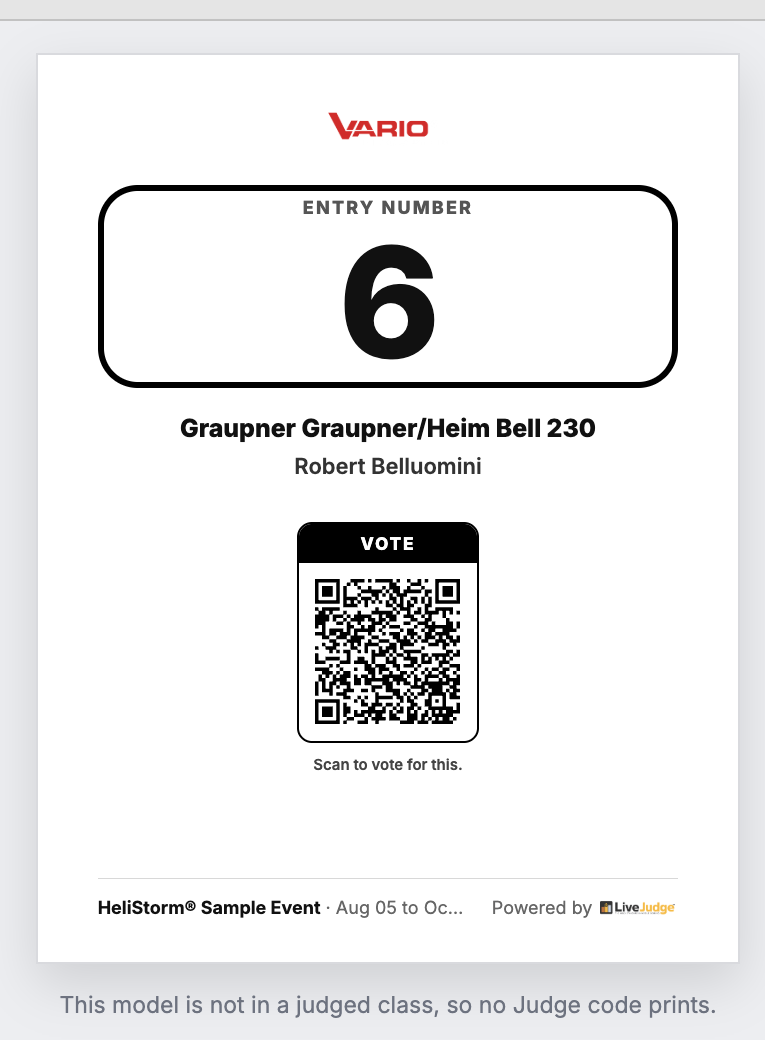
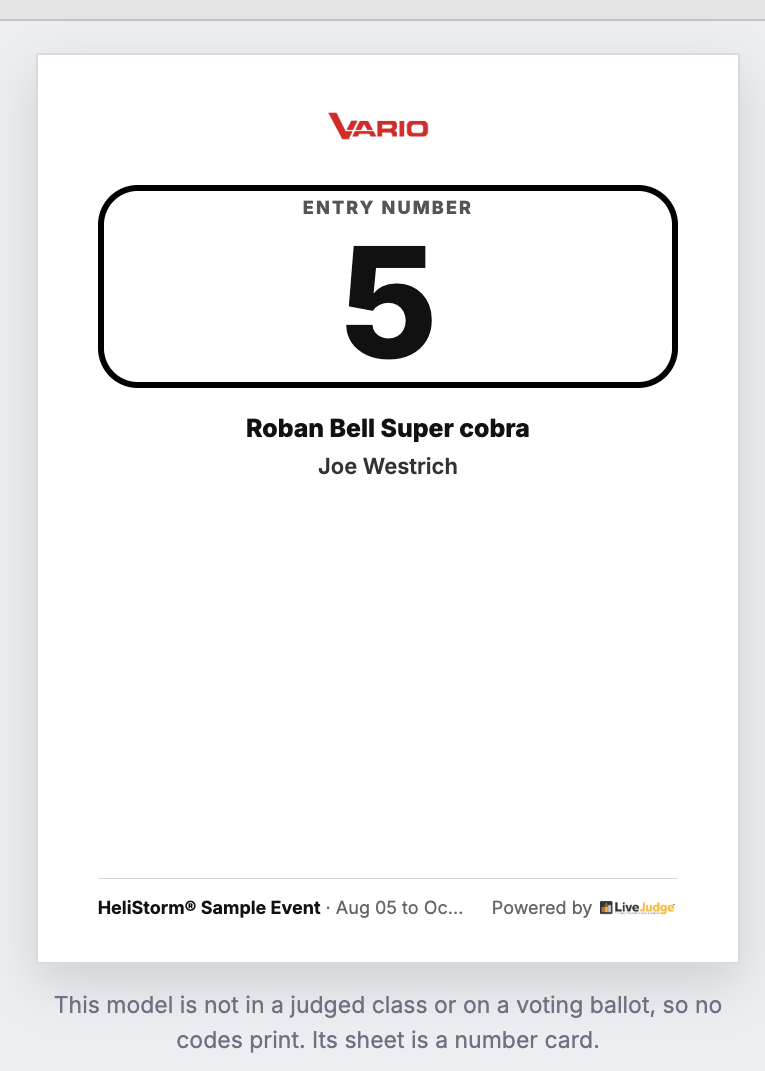
A sheet only carries a code it can actually use. If an entry is in a judged class but not on a ballot, no Vote code prints. If it is on a ballot but not in a judged class, no Judge code prints. If it is in neither, the sheet is just a number card. The list badges each entry, and the preview tells you which code is missing and why, so you can catch a contestant you forgot to enter before you print.
Sheet Options
Everything under Sheet Options applies to every sheet at once. Two switches control the two name lines, and they are labelled with your event's own words: a model event reads "Show Model Name" and "Show Pilot Name," while a car show reads "Show Car Name" and "Show Driver Name." Switch one off and that line disappears from every sheet.
Sheet Logo is for a sponsor. Set one and it prints at the top of every sheet in place of your event logo, which makes the whole printed set a sponsor placement you can sell.
Printing
Sheets print one per US Letter page. Print This Sheet prints the one you are previewing, which is what you want when a single entry arrives late or a card goes missing. Print All Sheets, at the top of the screen, prints the set.