
Voting ballots must be created for each event. Unlike competition classes, ballots do not transcend events. Creating a ballot is simple. Find the event you wish to work on.
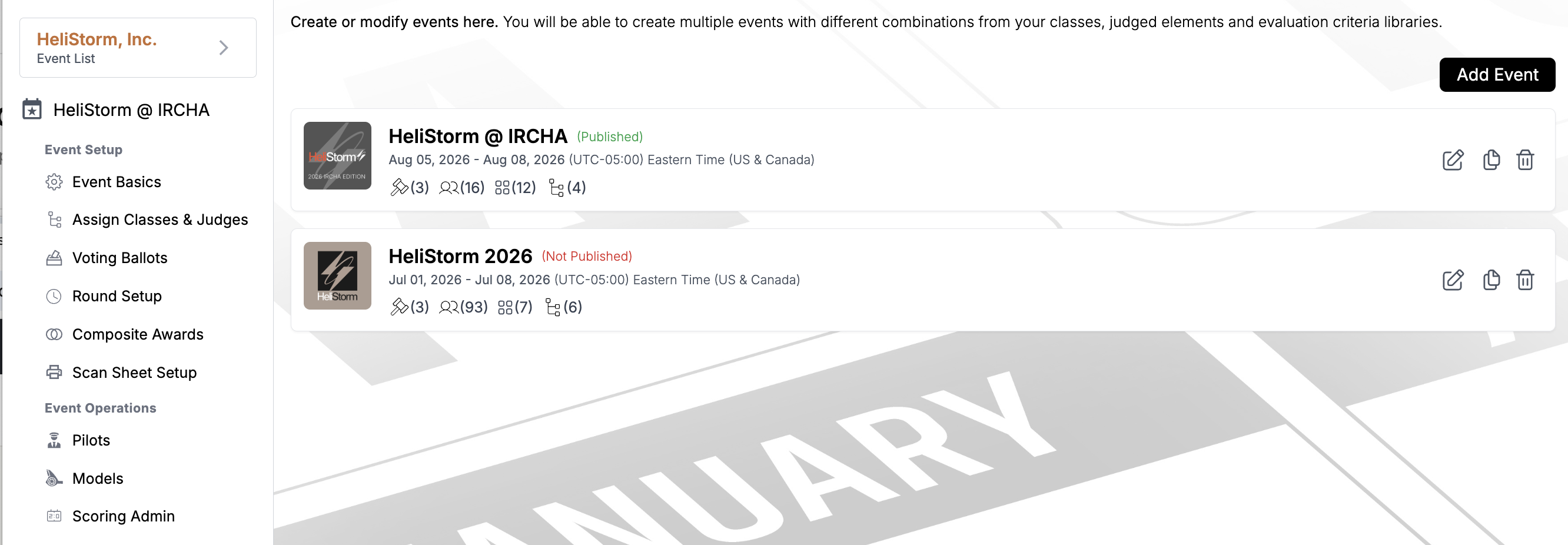
Next, click "Voting Ballots" from the left menu to access the ballot area.
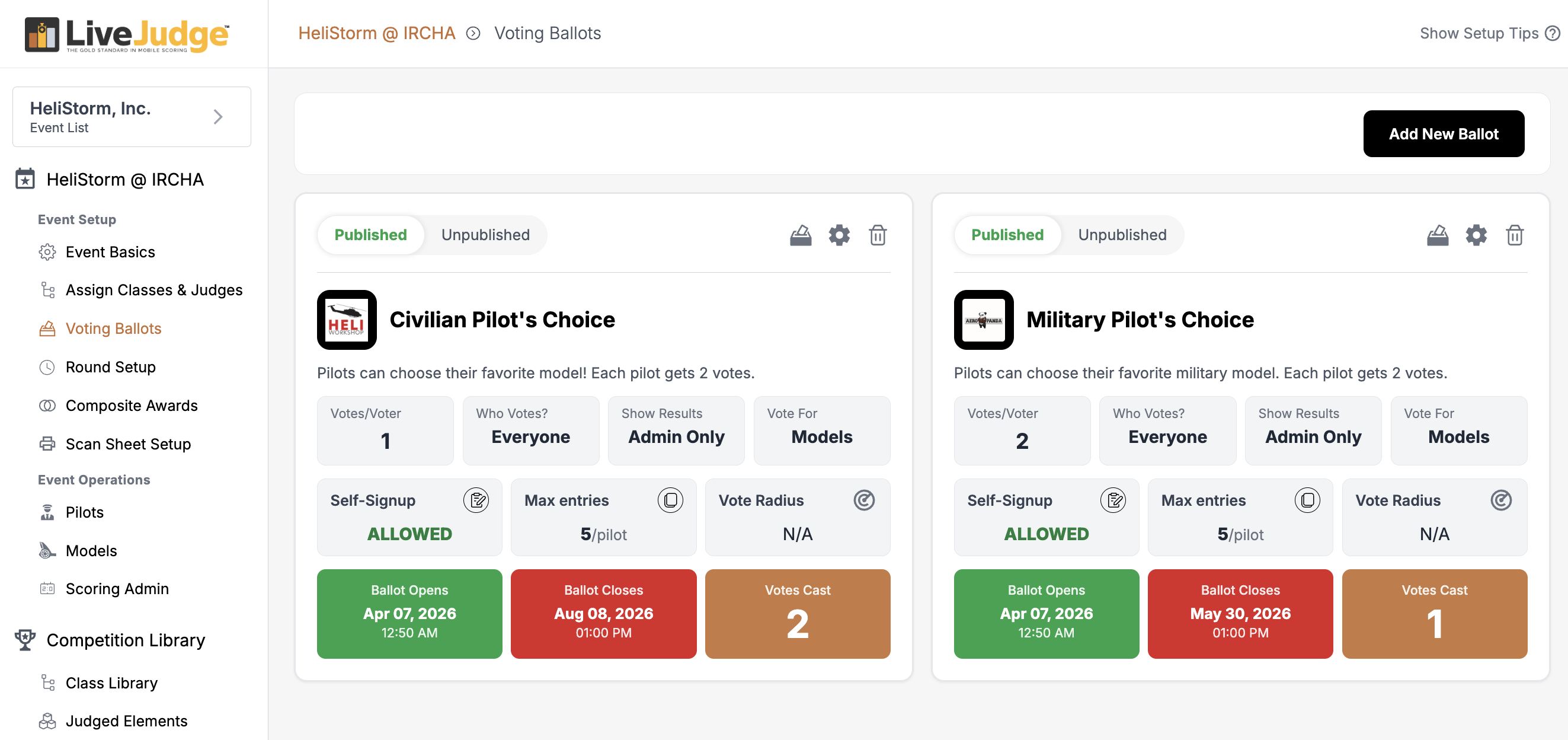
After clicking "Add New Ballot" you will see the ballot creation modal.
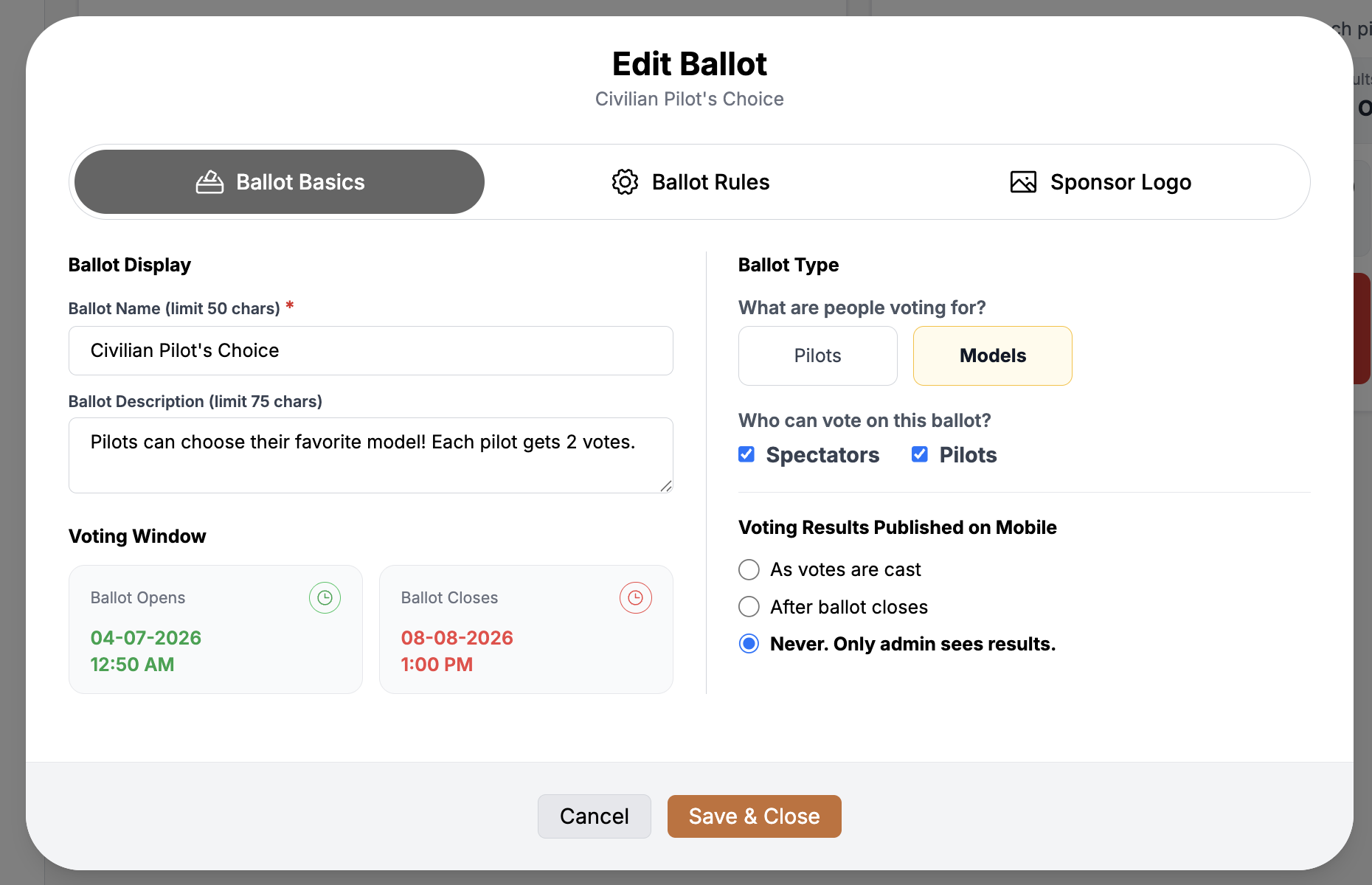
There are two types of ballots; one for people and one for entries (e.g. vehicles, projects, animals, etc.).Set your ballot so that it can be voted on by a) contestants, b) spectators or c) both groups.You can decide when and if you want to display the results.You must set when the ballot opens and when it closes.
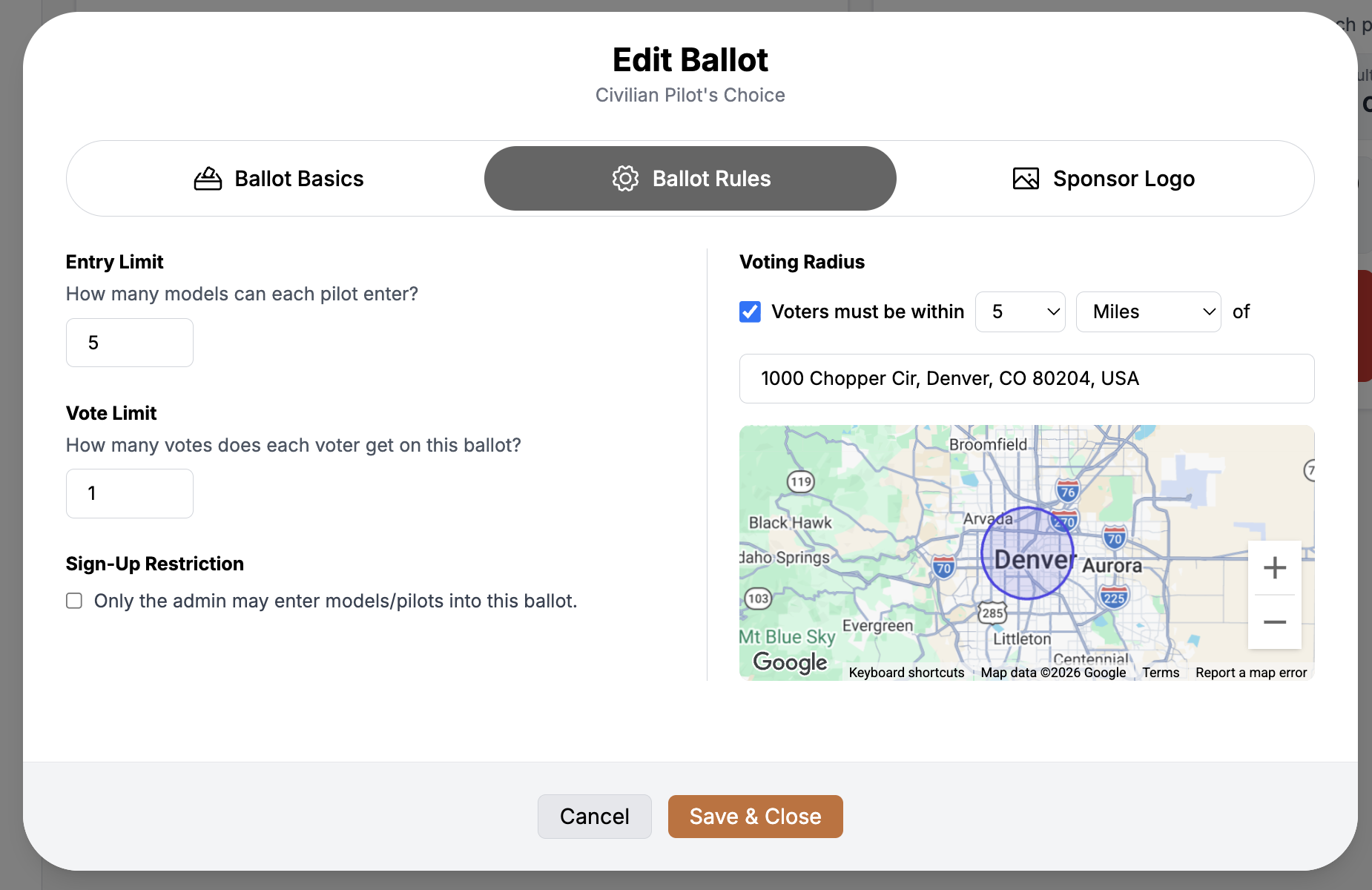
For entry-based events, you can specify the number of entries any contestant may enter into the ballot.You can give each voter 1 or more votes on that ballot.You can decide whether to allow contestants to self-enter any ballot or whether to keep that power reserved for administrators.You can add geofencing to your ballot! This prevents individuals from outside your designated radius from voting.You can add a logo to each ballot (e.g. a sponsor). If you do not, the system will use your event sponsor logo.